CSS Selectors

Hello everyone! I have started learning CSS which plays an important role in web development, now I am specifically working on selectors, below you can find some css selectors.
Selector: used to select an element in which we want to make some changes and design
Basic Selectors
- Universal selector: it will select all the elements in our html document.
syntax : "*" - Individual selector: we can select that element directly
syntax: "element name" - Class selector: "we have to use "." before the class what we need to select.
syntax: ".classname" - Id selector: to select id we have to use "#" before id.
syntax:"#id name" - Chained selector: it helps to select a particular element having more than one classes , ids etc
syntax:"element.classname.classname#idname" - Group selector: incase of selecting a group of elements ,elements should be separated by ","
the changes and decorations will be applied on all the elements in the group.
syntax:"el1,el2,el3" - Inside an element: In this selector elements are separated by "space" and the second element should follow the previous one.
syntax: "el1 el2 el3" - Direct child selector: it will select a direct child of an element
syntax: "parent>directchild" - General sibling selector: it will select the second element which follows (immediately or not)the first element.
syntax:"el1~el2" - Adjacent sibling selector: it will select the second element which immediately follows the first element.
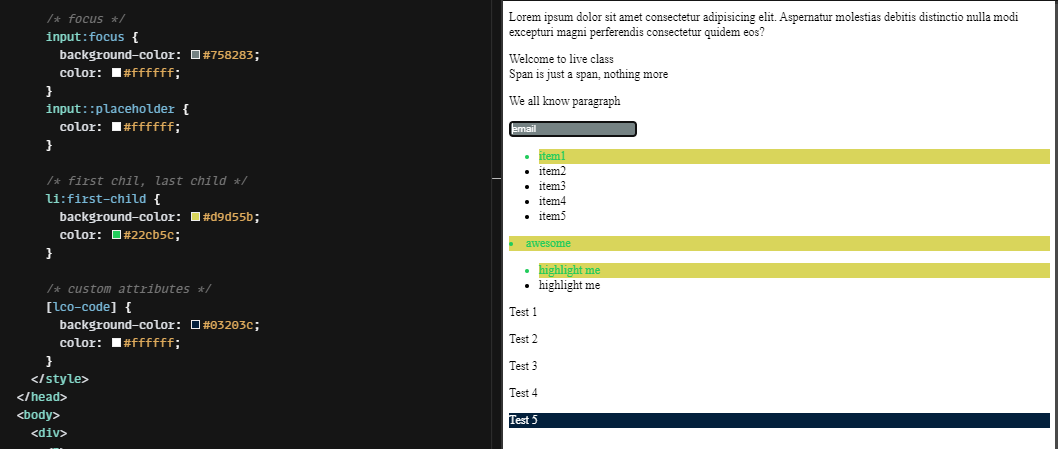
syntax:"el1+el2" Custom attribute selector: it is used to select attributes.
syntax:"[attribute]"example:
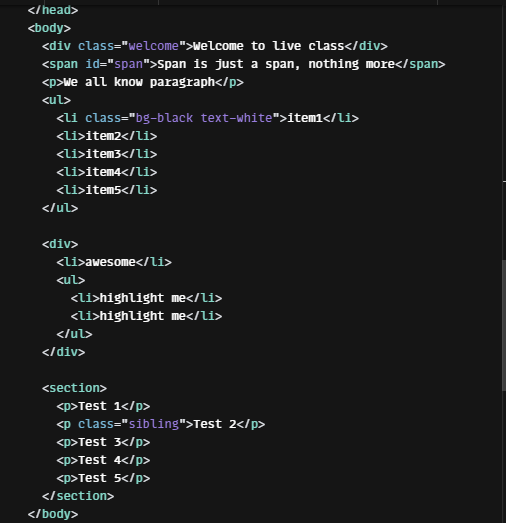
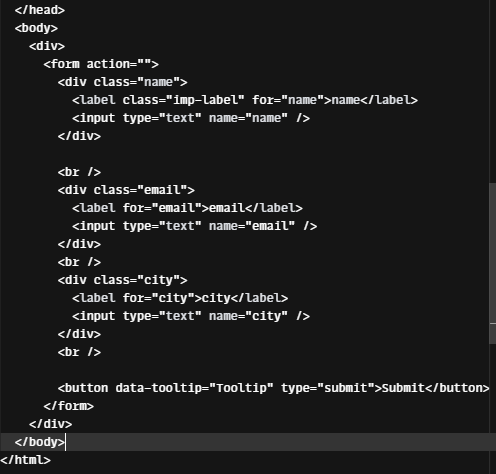
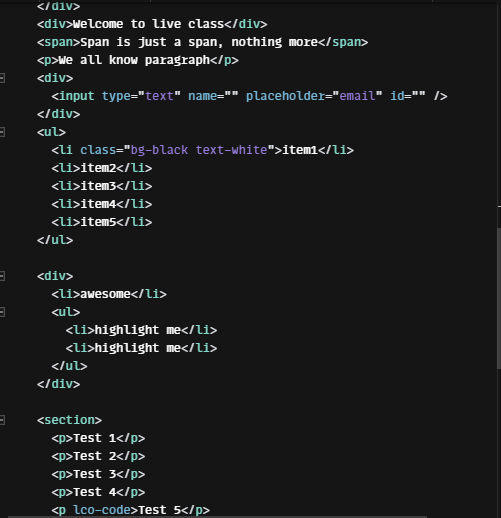
html code
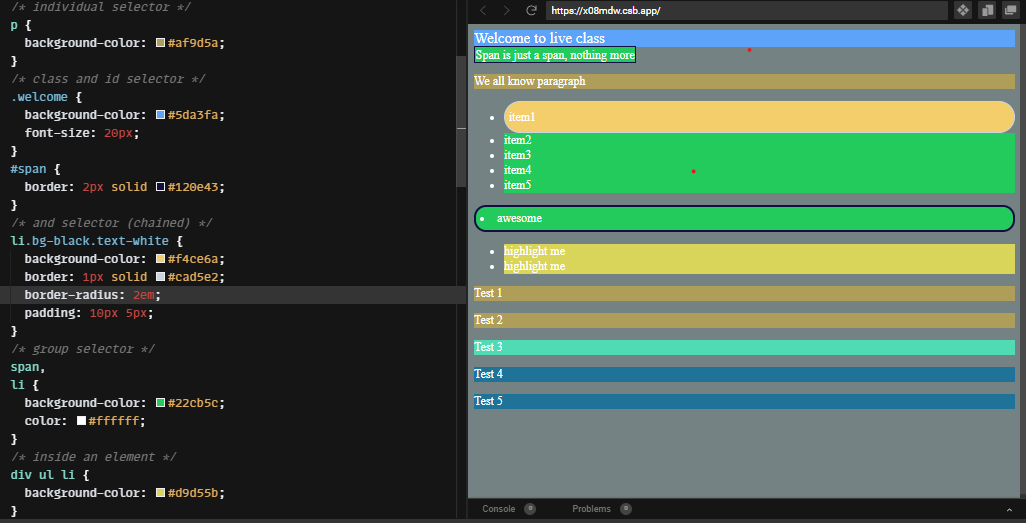
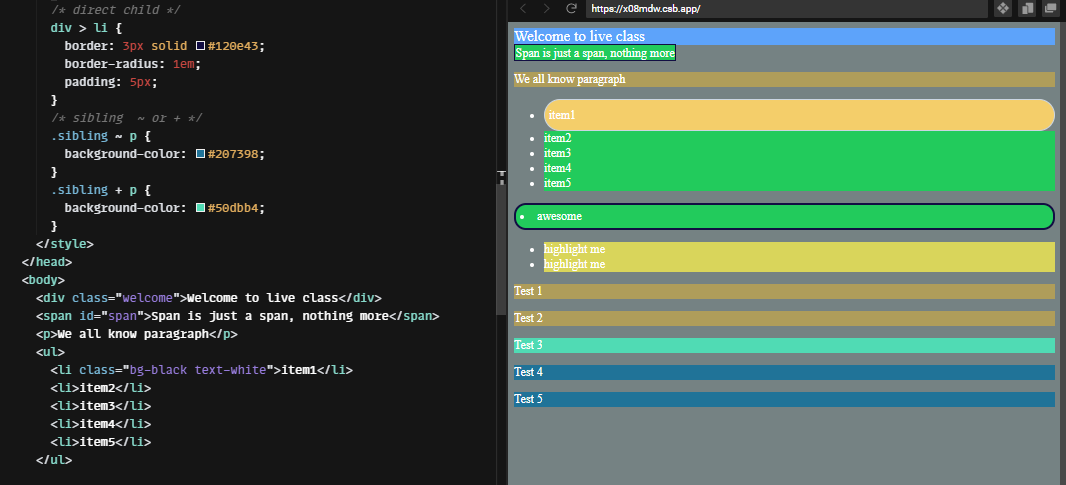
 Basic selectors and result:
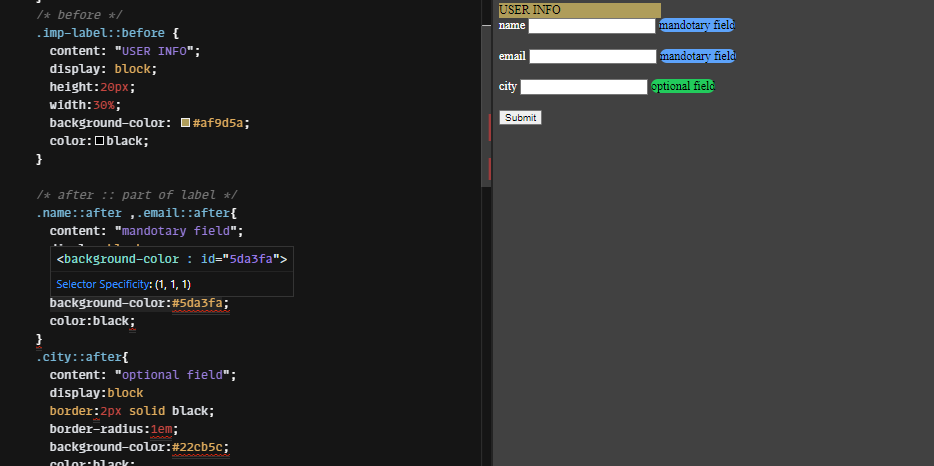
Pseudo elements: these are added to selectors and allow us to add some contents or decorate the selected elements.
- before : using this we can add some cosmetic content to an element using "content" property. The content will be added before the selected element.
syntax: "element::before" - after: like "before" this pseudo element also uses 'content' property to add some contents. here the content will be added after the selected element.
syntax: "element::after" - hover: while hover the selected element, we can make some changes and decorations on that particular element using this selector.
syntax:"element:hover" - focus: we can apply some modifications when focusing the selected element.
syntax:"element:focus" - to select the first child of an element.
syntax:"element:first-child" - to select the last child of an element.
syntax:"element:last-child" - to select the nth child of an element.
syntax:"element:nth-child()"
example for pseudo selectors
html code
 css code and result
Thank you! Hope you find this helpful